OneTrust
Governance, risk, and compliance platform
Every organization handled exceptions differently. Here's how I built one system that worked for all of them.
Role
Product designer. I led research and design from interviews through handoff.
Outcome
Research validated every major decision. It shipped after I moved teams.
EXCEPTION MANAGEMENT
CONTEXT
An exception is a temporary, authorized workaround: a policy deviation, a risk that needs a workaround, or a control that can’t be fully met.
Exception management is how you track it and get it approved.
We talked to several internal teams and every one of them needed it. Each organization handled exceptions differently, and so did the teams inside them. They all wanted one place to track every exception.
Exception management existed only for policies, and it was mostly record keeping. Exceptions sat in a relationship tab. Each team ran its own process around them, which created audit risk, and finding the status of one exception meant clicking through several parts of the platform.
The question was how to make it work across organizations and workflows that looked nothing alike.
THE PROBLEM
OLD FLOW Exceptions lived in a relationship tab, away from the work.


I interviewed six users across internal and external teams and tested the request flow, the approval flow, and a new registry page.
Approval turned out to be highly contextual, depending on business hierarchy and risk severity. Users wanted exception information upfront on the details page.
The finding that changed the design was about review. Users couldn’t see why risk review and exception review lived together. To them they were different jobs.
APPROACH
I separated exception review from risk review so each job had its own place.
Exception details moved onto the risk details page. Users needed them visible, but secondary to the risk itself.
For intake, I borrowed custom form functionality from elsewhere in the platform, so each organization sets up its own flow.
The registry brings every exception into one view across policy, risk, issues, and controls.
The new flow has more steps than the old one, on purpose. Every step is now visible and traceable. Requesting an exception locks the object until the exception expires, and extensions can be requested from either side.
DESIGN DECISIONS
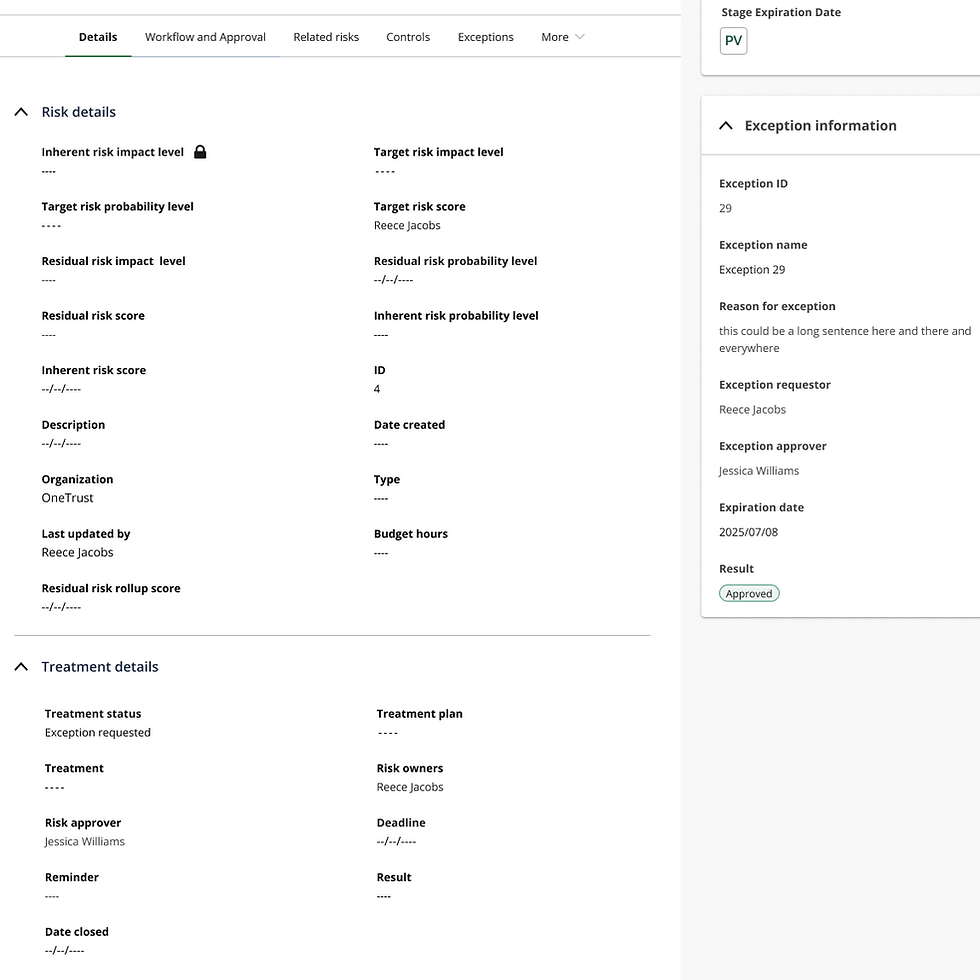
Exception details upfront: Key information on the risk details page, visible without clicking around.
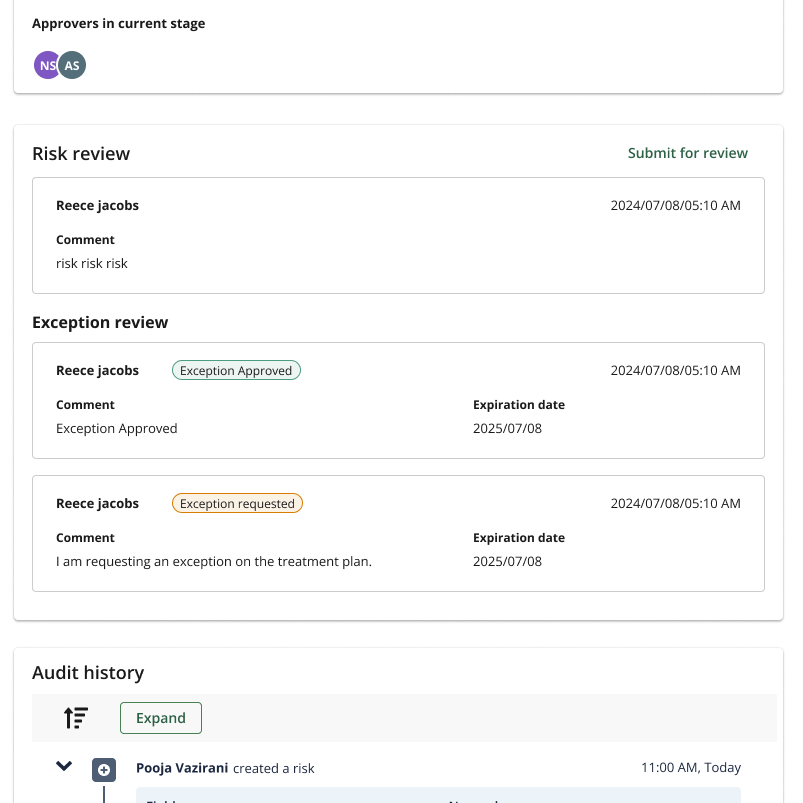
Exception review separated from risk review: Exception request as its own flow, not buried inside risk review.

The exception registry: Every exception across policy, risk, issues, and controls. One place.
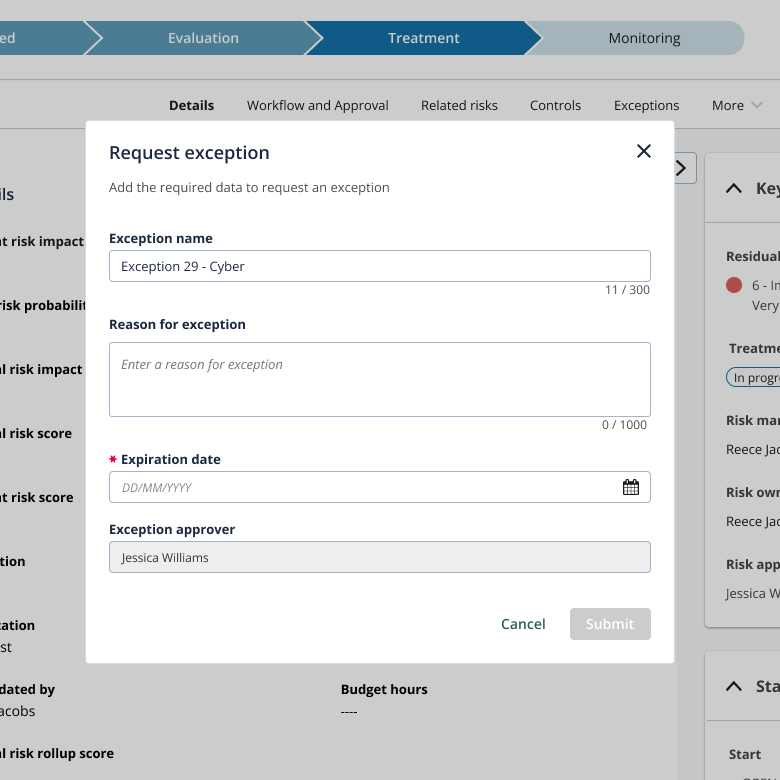
Configurable intake forms: Each organization sets up their own flow. The system doesn't force one.
NEW FLOW More steps, and all of them visible.


We handed this off to other teams to build. It shipped further down their roadmap after I’d moved teams, so I don’t have adoption numbers. What went out was built around how people actually think about exceptions.
OUTCOME
I’ve always owned design. This is the project where I became a full-cycle designer. Understanding how differently people work turned out to matter as much as the interface itself. It also sharpened how I use research. I use it to guide and validate decisions while they’re still being made.